Mastering Deriv Bot Risk Level Settings: The Ultimate Guide to Safe Automated Trading
Automated trading has revolutionized the way retail traders interact with financial markets. Among the most popular platforms for building and deploying trading robots is Deriv Bot (Dbot). While the allure of passive income is strong, the reality of automated trading is that without proper Deriv Bot risk level settings, your account balance can vanish in a matter of minutes. This comprehensive guide will walk you through every aspect of risk management within the Deriv ecosystem, ensuring that your bot remains a tool for profit rather than a liability.
Understanding the Importance of Risk Management in Dbot
Before diving into the technical blocks and configurations, it is vital to understand why risk level settings are the backbone of any successful trading bot. Unlike a human trader, a bot does not feel fear, greed, or hesitation. It executes logic exactly as programmed. If your logic lacks a safety net, the bot will relentlessly pursue a losing strategy until the margin call occurs.
Risk management in Deriv Bot isn’t just about setting a stop loss; it’s about defining the mathematical boundaries within which the bot is allowed to operate. By mastering these settings, you transition from gambling to professional algorithmic trading.
The Core Parameters of Deriv Bot Risk Level Settings
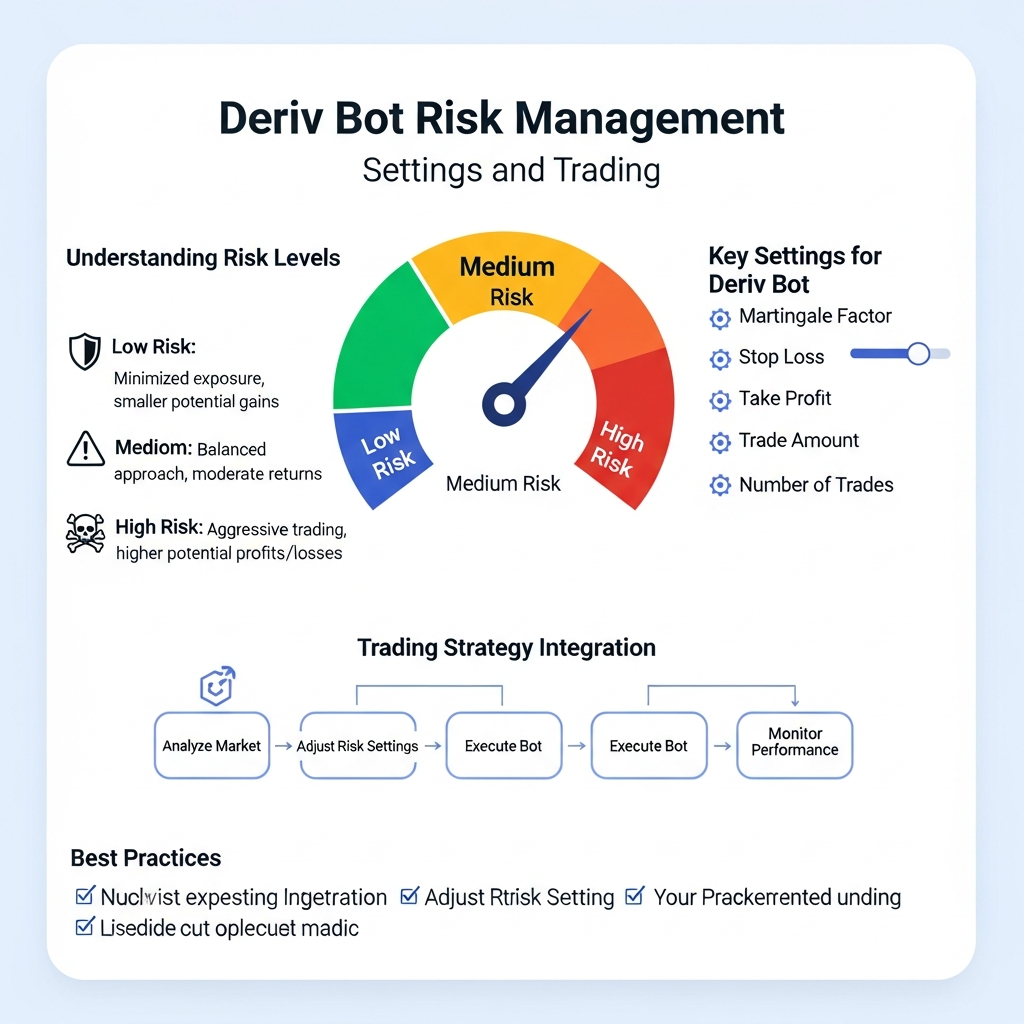
When you open the Dbot interface, you are presented with several “blocks” that define your trade logic. The most critical blocks for risk management are found in the Trade Parameters and Purchase sections. Let’s break down the essential settings every trader must configure.
1. Initial Stake and Minimum Trade Amount
Your Initial Stake is the amount of capital allocated to the very first trade the bot executes. For beginners, the golden rule is to keep this stake at less than 1% of your total account balance. For example, if you have $100, your stake should ideally be $0.35 to $1.00. Setting a high initial stake significantly increases the risk of a total wipeout during a losing streak.
2. Take Profit (Target Profit)
The Take Profit setting tells the bot when to stop trading for the session. Many traders make the mistake of leaving the bot running indefinitely. This is a recipe for disaster. Markets change; a strategy that works during the London session may fail during the Asian session. Setting a realistic take profit—usually 5% to 10% of your daily balance—ensures that you lock in gains and exit the market before conditions shift.
3. Stop Loss (Maximum Loss Threshold)
The Stop Loss is perhaps the most critical Deriv Bot risk level setting. This is the maximum amount you are willing to lose in a single session. Once this limit is hit, the bot will automatically cease all operations. A common mistake is setting the stop loss too high, hoping the bot will eventually recover. In professional trading, a stop loss is a sacred boundary that protects you from the “black swan” events or prolonged trending markets that defy your bot’s logic.
Advanced Risk Settings: Managing Multipliers and Martingale
Many Deriv Bots utilize the Martingale strategy, where the stake is doubled after every loss to recover previous losses and gain a small profit. While profitable in the short term, Martingale is extremely high-risk. Without strict risk level settings, it can lead to exponential losses.
The Maximum Stake Limit
In a Martingale setup, you must implement a Maximum Stake block. This acts as a secondary stop loss. If the bot loses five times in a row and the next calculated stake exceeds your maximum stake limit, the bot should be programmed to reset to the initial stake or stop entirely. This prevents the bot from placing a $500 bet just to recover a $1 loss.
The Multiplier Variable
Instead of a standard 2x multiplier, many advanced traders use a 1.1x or 1.5x multiplier. This slows down the rate at which your stake increases, giving your account more “room to breathe” during a losing streak. Adjusting this specific variable is a key component of fine-tuning your Deriv Bot risk level settings.

Asset Selection and Volatility Risk
Risk is not only determined by your stake but also by the Market you choose. Deriv offers Volatility Indices, Forex, and Commodities. Volatility Indices (like Volatility 100 or Volatility 10s) are synthetic and run 24/7. However, their high volatility means that price swings can be massive.
- Low Risk: Volatility 10 (1s) Index – Tends to have smoother price movements.
- High Risk: Volatility 100 Index – Can experience rapid, jagged price changes.
When configuring your risk level settings, ensure your trade duration matches the volatility of the asset. A 1-tick trade on a highly volatile index is essentially a coin flip, whereas a 5-minute trade allows for more technical analysis confirmation.
How to Configure Risk Blocks in Dbot: A Step-by-Step Guide
To implement these settings, you need to use the logic blocks provided in the Dbot dashboard. Follow these steps to ensure your bot is protected:
- Initialize Variables: Create variables for
Target Profit,Stop Loss,Initial Stake, andWin Stake. - Set Limits: At the start of the bot (Block 1), assign values to these variables.
- Post-Trade Logic (Block 4): After each trade, use an
If/Elsestatement to check the current total profit/loss.- If
Total Profit < Stop Loss, stop the bot. - If
Total Profit > Target Profit, stop the bot and display a message.
- If
- Stake Management: If the last trade resulted in a loss, update the stake using your multiplier. If it was a win, reset the stake to the
Initial Stake.
The Role of Backtesting and Demo Accounts
No matter how perfect your Deriv Bot risk level settings appear on paper, they must be tested in a controlled environment. Deriv provides a Virtual Account (Demo) with $10,000 in virtual funds.
Spend at least one week testing your bot on the demo account. During this time, observe how the bot handles a “worst-case scenario.” Does the stop loss trigger correctly? Is the Martingale multiplier sustainable during a 10-trade losing streak? If your demo account blows up, your real account certainly will too. Adjust your risk settings until the bot can survive market fluctuations over several days of continuous running.
Psychological Risk: The Human Element
Even with the best automated settings, the biggest risk is the trader. This is often referred to as “Manual Intervention Risk.” Many traders see their bot losing three trades in a row and panic, shutting it off right before the winning trade occurs. Conversely, others see a bot winning and decide to manually double the stake, only to lose everything on the next trade.
To mitigate this, once you have set your Deriv Bot risk level settings, you must trust the math. Let the bot perform its job. If the settings are correct, the bot will protect your capital according to the parameters you defined.
Common Pitfalls to Avoid
To keep your account safe, avoid these common mistakes related to risk settings:
- Chasing Losses: Never increase your stop loss during a live session. If you hit your limit, accept the loss and analyze the bot’s performance later.
- Ignoring the News: While synthetic indices aren’t affected by real-world news, Forex pairs are. Ensure your bot is turned off during high-impact news events (like NFP) unless it is specifically designed for news trading.
- Over-Optimization: Don’t make your settings so tight that the bot never trades. There needs to be a balance between safety and the ability to execute trades.
- Running Too Many Bots: Each bot should have its own allocated risk. Running five bots simultaneously on the same account can lead to correlated losses that exceed your total stop loss.
Conclusion: Safety First, Profit Second
In the world of Deriv Bot trading, survival is the name of the game. If you can protect your capital, the profits will eventually follow. By meticulously configuring your Deriv Bot risk level settings—specifically your initial stake, stop loss, take profit, and martingale limits—you create a robust framework for long-term success.
Remember that no bot is 100% guaranteed. The markets are dynamic, and risk management is your only true defense. Start small, test rigorously on demo accounts, and never trade money you cannot afford to lose. With the right settings and a disciplined approach, Deriv Bot can be a powerful addition to your trading arsenal.
Frequently Asked Questions
What is the best stop loss for a $100 account on Deriv Bot?
For a $100 account, a conservative stop loss would be between $10 and $20 (10-20% of your balance). This allows you to survive a bad day without losing your entire capital, giving you the chance to recover on subsequent days.
Can I change my risk settings while the bot is running?
It is not recommended. Changing settings while a bot is active can cause logic errors in the block execution. It is best to stop the bot, update the variables, and then restart it.
Does Deriv Bot have a default risk setting?
No. Most default bot templates provided by Deriv or third parties have very basic settings. You must manually define your risk parameters within the blocks to ensure your account is protected.
How many losses in a row can a Martingale bot handle?
This depends entirely on your account balance and initial stake. If you start with $0.35 and double it every time, by the 10th loss, you would need a stake of over $179. Most small accounts cannot handle more than 7-8 consecutive losses with a standard Martingale.