How to Load XML on Binary Bot: A Complete Technical and Strategic Guide
Automated trading has revolutionized the way retail traders interact with financial markets. On platforms like Binary.com and its successor, Deriv, the Binary Bot interface stands as one of the most accessible yet powerful tools for building algorithmic trading strategies. At the heart of this system lies the XML file.
If you have recently acquired a trading strategy or downloaded a free bot from a community forum, you likely have a file ending in .xml. This guide will walk you through every nuance of how to load XML on Binary Bot, troubleshoot common errors, and optimize your setup for the best possible trading performance.
Understanding the Binary Bot Ecosystem
Before diving into the technical steps, it is essential to understand what exactly a Binary Bot XML file is. Binary Bot is built on Google Blockly, a visual programming language that represents code as interlocking blocks. When you save your visual logic, the platform converts these blocks into an XML (Extensible Markup Language) format.
This XML file contains the specific parameters of your strategy, including:
- The market index (e.g., Volatility 100 Index, Forex pairs).
- Trade duration (seconds, minutes, ticks).
- Stake amount and Martingale multipliers.
- Logic for entering and exiting trades.
- Risk management settings like Stop Loss and Take Profit.
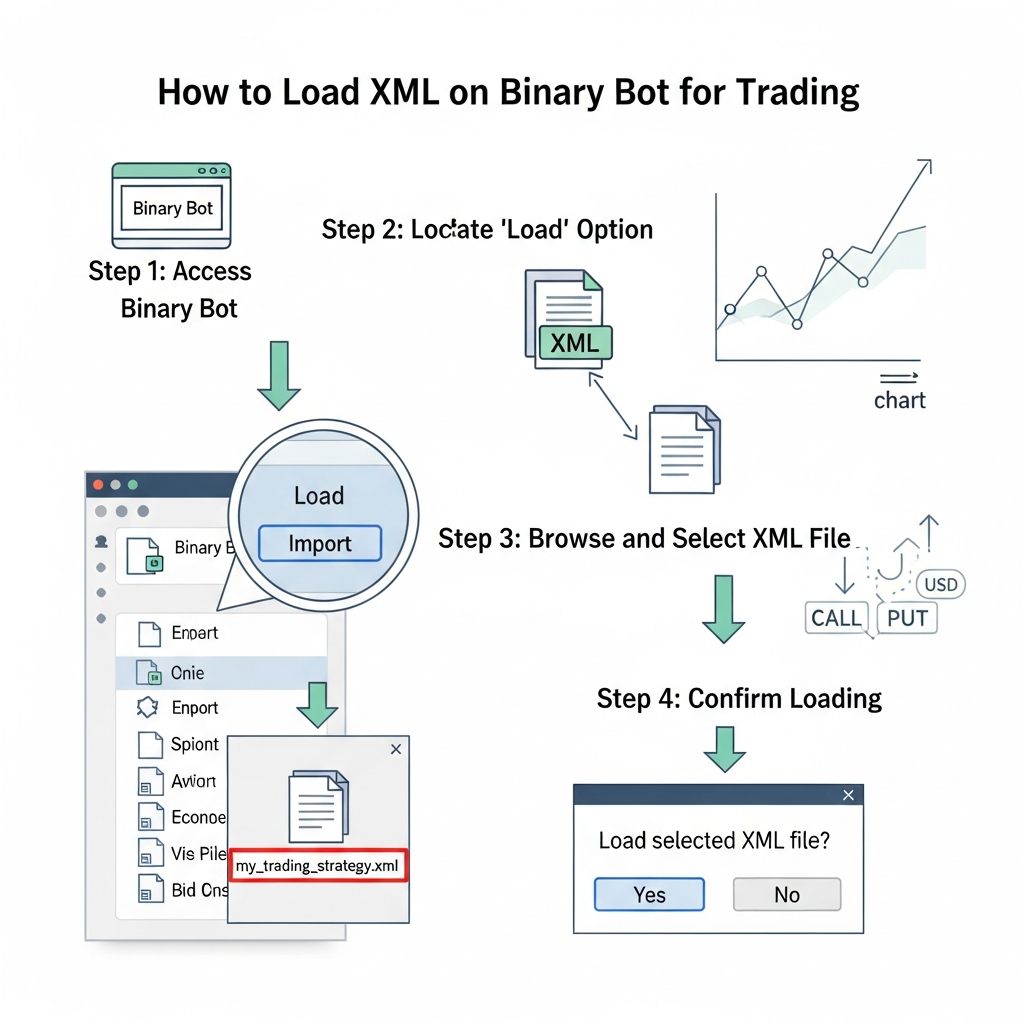
Step-by-Step: How to Load XML on Binary Bot
Loading an XML file is a straightforward process, but following the correct sequence ensures that the blocks render correctly without missing logic components.
Step 1: Access the Binary Bot Interface
Navigate to the official Binary Bot workspace. Depending on your account, you will likely use the Deriv Bot or the legacy Binary.com Bot interface. Most XML files are cross-compatible, though some newer blocks might be exclusive to the Deriv ecosystem. Log in to your account—ideally a Virtual/Demo account first—to ensure you can test the bot safely.
Step 2: Locate the File Management Icons
In the top-right or top-left corner of the workspace (depending on your layout version), you will see a series of icons. Look for the folder icon, which represents the “Load” and “Save” functions. Clicking this icon will open a sub-menu.
Step 3: Choose Your Source
Binary Bot offers two primary ways to load your XML file:
- My Computer: This is the most common method. You will select the file directly from your local hard drive or downloads folder.
- Google Drive: If you have synced your trading account with Google Drive, you can pull saved strategies directly from the cloud.
Step 4: Select and Confirm
Click on “Load” under the “My Computer” tab. A file explorer window will appear. Navigate to the location of your .xml file, select it, and click “Open.” You will see a progress bar for a brief second, and then the workspace will populate with colorful blocks representing the strategy.
What to Do After Loading the XML
Just because the blocks have appeared on your screen doesn’t mean you should immediately click the “Run” button. Loading the file is only half the battle. You must now verify the strategy parameters.
Verify Market Availability
Sometimes, an XML file is programmed for a market that is currently closed (like weekend Forex) or a market that your specific account doesn’t have access to. Check the top-most block (usually labeled “Trade Parameters”) to ensure the Market, Asset, and Trade Type are correctly selected.
Adjust Stakes and Risk Management
The creator of the XML file may have set a default stake of $10 or $100. If your balance is small, this could be disastrous. Always manually check the Stake and Prediction blocks. Ensure the Stop Loss is set to a value you are comfortable with.
Common Issues When Loading XML Files
While the process is usually smooth, you might encounter several roadblocks. Here is how to solve the most common ones.
1. “File Not Valid” or XML Parsing Error
This error occurs if the XML file is corrupted or if it wasn’t specifically designed for Binary Bot. Ensure the file extension is strictly .xml. Sometimes, downloading a file from a mobile device or through an unverified email client can add extra characters to the code, breaking the structure.
2. Missing Blocks (Undefined Blocks)
If you load a bot and see gray blocks with the text “Undefined,” it means the XML file was created using a newer version of the platform or a custom plugin that your current browser session hasn’t loaded. Try clearing your browser cache or updating your browser to the latest version. Alternatively, the bot might have been built for “DBot” instead of the original “Binary Bot,” which are slightly different platforms.
3. Google Drive Sync Issues
If you cannot load from Google Drive, check your pop-up blocker. Binary Bot requires a pop-up window to authorize your Google account. If the window is blocked, the loading process will hang indefinitely.
Advanced Tips for XML Management
Once you are comfortable with loading files, you can start managing your library of strategies more effectively.
Organizing Your Strategy Library
Don’t just keep your files in the “Downloads” folder. Create a dedicated directory on your computer named “Binary Bot Strategies.” Sub-divide them by type (e.g., “Trend Following,” “Mean Reversion,” “Martingale”). This allows you to quickly switch between bots as market conditions change.
Combining XML Logic
Binary Bot allows you to “Import” blocks without clearing your current workspace. If you have a specific risk management logic in one XML and a signal logic in another, you can carefully merge them. However, this requires a deep understanding of how variables interact within the Blockly environment.
Security Best Practices
Loading an XML file is essentially running a script on your financial account. You must prioritize security:
- Never run an unknown XML on a Real Account: Always test for at least 24–48 hours on a Demo account to see how the bot handles losing streaks.
- Beware of “Scam” Bots: If an XML file promises a 100% win rate, it is likely a high-risk Martingale bot that will eventually wipe your balance.
- Check for Hidden Logic: Some malicious scripts might attempt to send trade data or account info to external servers. While rare in the Blockly environment, it is good practice to inspect the “Tools” and “Advanced” blocks for any suspicious URL blocks.
The Difference Between Loading on Binary Bot vs. DBot
Deriv offers two main bot platforms: the classic Binary Bot (bot.deriv.com) and the modern DBot (app.deriv.com/bot). While they both use XML files, they are not always perfectly interchangeable. If an XML file fails to load on Binary Bot, try uploading it to DBot. DBot has a more streamlined interface and handles “Quick Strategies” differently, but the underlying XML logic remains the foundation of both.
Conclusion
Learning how to load XML on Binary Bot is the first step toward mastering automated trading. It opens the door to a world of community-driven strategies and personal algorithmic development. By following the steps outlined above—accessing the folder icon, selecting your file, and rigorously verifying the parameters on a demo account—you can trade with greater efficiency and less emotional stress.
Remember that the XML file is just a tool; the true success of a trader lies in understanding the logic within those blocks and knowing when to run the bot and when to keep it turned off. Always keep your platform updated, back up your favorite XML strategies to the cloud, and never risk money you cannot afford to lose.
Happy trading!